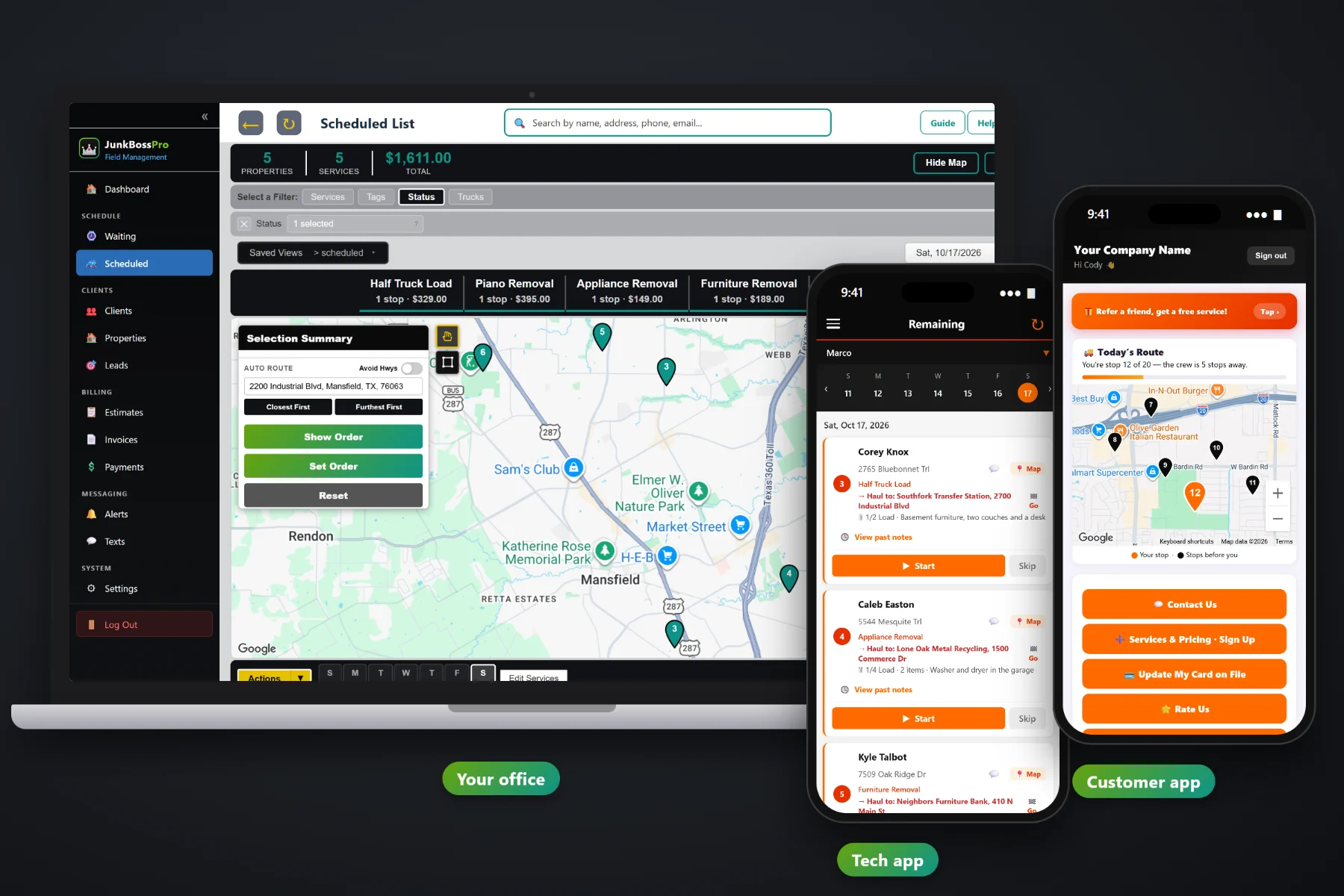
Junk removal work shows up all at once: a garage cleanout from your website at 10pm, a mattress pickup from a Facebook ad, a realtor who needs a house emptied before Friday. JunkBossPro gives you a request form and a sign-up form for your own site, a Form Responses inbox that turns a request into a client in one click, two-way texting to answer fast, estimates built from your service list, and a Waiting List that holds every unbooked job on a map until it fits a route.
Plans start at $59/month, and the request form, sign-up form, Form Responses, texting, estimates and customer app are part of the platform, not add-ons. To see how booking fits with dispatch, the crew app, dump fee overage and invoicing, start at JunkBossPro and then dig into the lead side here.
Put a request form on your website with the address, services, best time, property details and a message box. Every submission lands in Form Responses.
The sign-up form captures a card on file, so a customer who is ready to book is ready to be charged when the job is done.
Convert a sign-up into a client record with one click. No retyping names, phone numbers and addresses from an email.
Two-way texting from the office, so the first company to reply can be yours, even when you are standing next to a loaded truck.
Build the quote from your own service list. The customer approves online and the estimate becomes a job.
Every request that isn't booked yet sits on a live map and a list, so you can see what is near tomorrow's route.
A junk removal lead that just says “need stuff hauled” takes three phone calls to price. A request that says “old couch, two mattresses and a treadmill in the basement, maybe a quarter load, walk-out door on the side, weekday mornings” can get a price range in one text. JunkBossPro's request form has fields you switch on or off, and your page tells customers what to put in the Property Details and Message boxes. The answers stay with the request.
Most junk removal owners answer leads from the cab of the truck between loads. JunkBossPro keeps the steps short: see the request, reply, price it, put it on a day. Nothing is copied from an email into a spreadsheet and then into a calendar.
Add the request form and the sign-up form to your website, your Google listing link and your ad landing pages. Every submission goes to Form Responses.
Text the customer back from the office with two-way texting. Ask for anything the form missed and give a price range from your service list.
Convert a sign-up to a client in one click, or send an estimate built from your services that the customer approves online.
The job waits on the Waiting List map until you put it on a truck and a day that fits the route.
A homeowner who wants a garage emptied usually asks more than one company. The one who replies first with a clear next step often gets the job. That is hard to do when leads are scattered across a website inbox, a voicemail box, Facebook messages and a notebook on the dashboard.
Ask any junk removal owner how booking really works and you'll hear the same story: a contact form that emails a phone nobody checks until lunch, a voicemail that just says “call me about some junk,” and a spreadsheet of names with no idea which ones were quoted, which ones said yes and which ones went with somebody else. The big jobs get remembered. The single-item pickups that would have filled the back of the truck get lost.
Every request belongs in one place, with what's going and where it is. When it is, you can answer from anywhere and book from a map, not from memory.
JunkBossPro keeps the request, the customer, the estimate, the job and the invoice together, from the first form submission to the paid ticket.
Every tool here exists to catch more requests, answer them faster and get them onto a truck with fewer phone calls.
A request form for your own site. Submissions land in Form Responses with the customer's answers attached.
A sign-up form that captures a card on file, for customers ready to book and pay when the work is done.
One inbox for every request and sign-up from the web, so nothing sits in a personal email account.
Turn a sign-up into a client record with one click, with the name, phone, email and address filled in.
Text leads and customers from the office. Replies come back to the same conversation.
Price jobs from your service list: single items, quarter to full truck loads, mattresses, appliances, hot tubs, cleanouts.
The customer approves the estimate online and the approved estimate becomes the scheduled job.
Follow-up emails on open estimates and reusable estimate templates for the jobs you quote most.
Every unbooked request on a live map and a list, so you can fill the truck near tomorrow's route.
Customers request service, sign up for services and pricing, see their visit day and pay invoices.
Night-before, when-they're-next and arrived alerts by text and email, chosen by the customer.
Customers rate the job and refer friends from the customer app.
Realtors and property managers with many addresses under one client, billed on one monthly statement.
Tag clients by lead source, partner or job type and report on them later.
500, 1,000 or 2,000 texts sent and received each month on Start, Pro and Crew (US & Canada).
Start $59, Pro $89 and Crew $199 per month, with booking and leads on every plan.
Junk removal booking isn't first come, first served. It's “what can I fit near where the truck already is.” JunkBossPro's Waiting List shows every request that isn't booked yet on a live map and a list: single items, cleanouts and on-site estimate visits. Drop a mattress pickup two streets from tomorrow's garage cleanout, put the big estate job on the truck that runs cleanouts, and auto-route the day from the yard. For the full walkthrough, read Junk Removal Booking Software: The Complete Guide to Getting, Answering and Booking Jobs.
The cheapest junk removal lead is the customer you already hauled for. In the customer app they can request service the next time the garage fills up, sign up for services and pricing, see their visit day and the truck on a live map, update their card, pay invoices, rate the job and refer a friend. Realtors and property managers can keep every address under one account and get one monthly statement, which makes it easy for them to keep sending you work.
Pick the plan that fits your operation. Every plan starts with a 14-day free trial and no credit card.
Compare plans on the pricing page.
You put JunkBossPro's request form and sign-up form on your own website. Every submission lands in Form Responses with the customer's answers. A sign-up converts into a client with one click, and a request can be priced with an estimate or texted back right away.
No. Junk removal prices depend on what is going, how much room it takes in the truck and how hard it is to reach, so JunkBossPro doesn't guess a price on the website. You reply by text with a range from your own service list, send an estimate the customer approves online, or book an on-site estimate visit for big cleanouts.
Customers who already know they want the work done can sign up and leave a card on file. When you convert the sign-up to a client, the card is ready, and the crew can charge it when the job is completed.
On the Waiting List, a live map and list of every request that isn't booked yet: single items, cleanouts and on-site estimate visits. You can see what is near tomorrow's route and put it on a truck and a day.
JunkBossPro doesn't connect to ad platforms. Point your ads, your Google listing and your social posts at the request form on your own website, and every lead lands in the same Form Responses inbox.
Start is $59/month, Pro is $89/month, and Crew is $199/month. The request form, sign-up form, Form Responses, texting, estimates and customer app are on every plan, and every plan starts with a 14-day free trial with no credit card.
Booking is one piece of how JunkBossPro runs a junk removal company. For dispatch, the crew app, truck load sizes, dump fee overage and billing, see the full JunkBossPro platform overview.
Practical reading on request forms, sign-ups, Form Responses, answering leads by text, estimates, the Waiting List, the customer app, repeat customers, referrals, reviews, realtor and property manager partners, and the seasonal rushes.
A request form on your site, one inbox for every lead, fast replies by text, estimates approved online and a Waiting List that fills the truck. Try JunkBossPro free for 14 days.